Adding Songs
Written Guide
In Planning Center, you'll have a general overview of the service, including who's doing the call to worship, announcements, and the sermon.
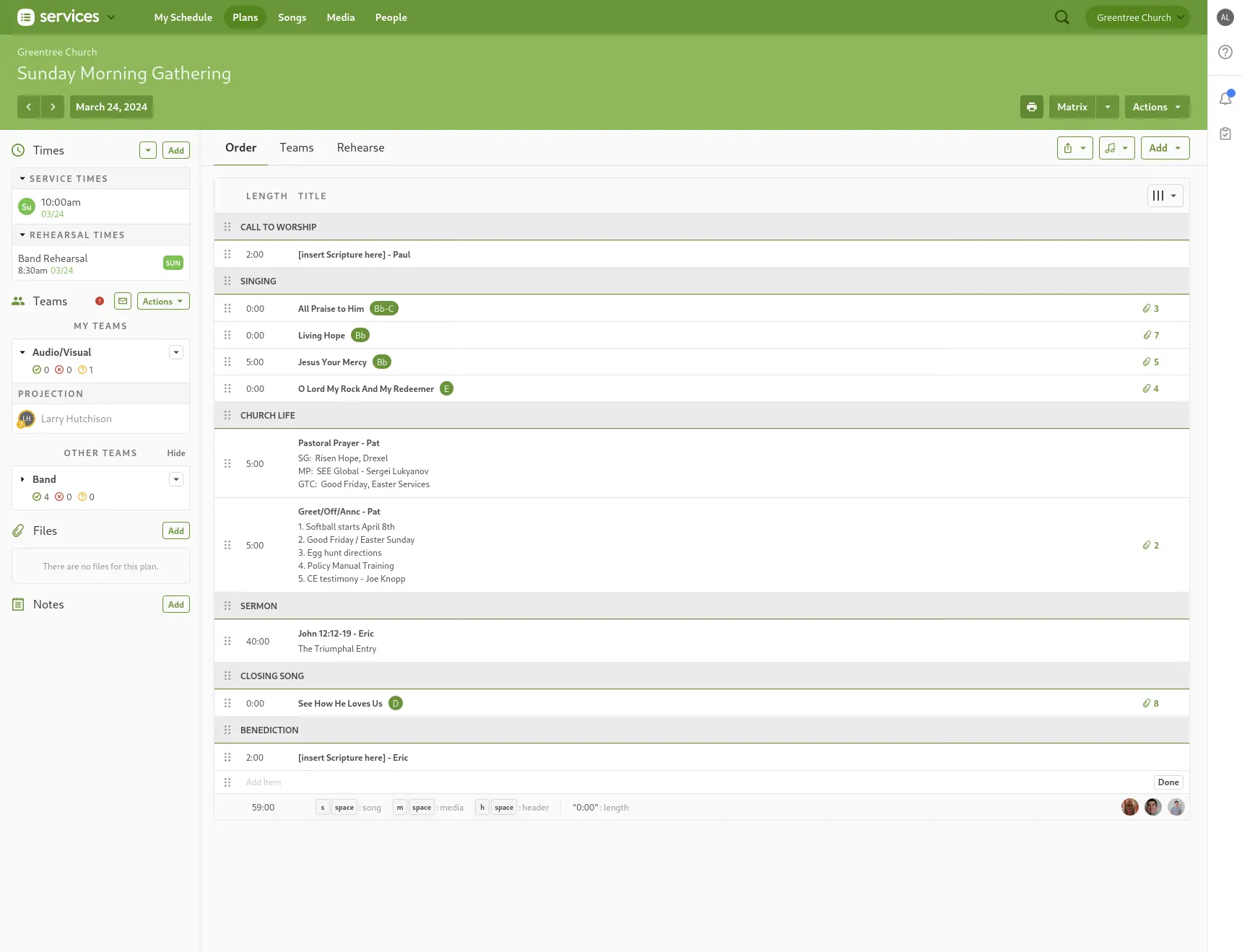
Under Singing, you'll see a list of songs. There's also a song listed at the end under Closing Song.
Keep an eye out
Always check the overview of the service in Planning Center to have all the songs. Sometimes, services can have more than one song after Worship, such as Communion Sundays
Info from Planning Center
Click on the title of a song to bring up the Information Pane on the Right
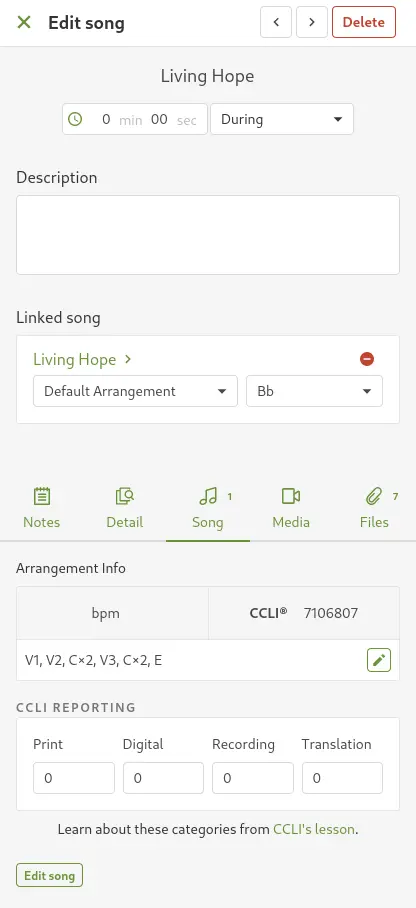
- From the small tabs in the center, Click on Song.
- Under "Linked Song", keep note of the Song's Title and Arrangement. In the above screenshot, the title is "Living Hope", and the Arrangement is "Default Arrangement".
- Under "Arrangement Info", copy the CCLI number. This is the unique ID number for the song. Every song has a different CCLI number.
ProPresenter
- In ProPresenter, click "Search" from the top left
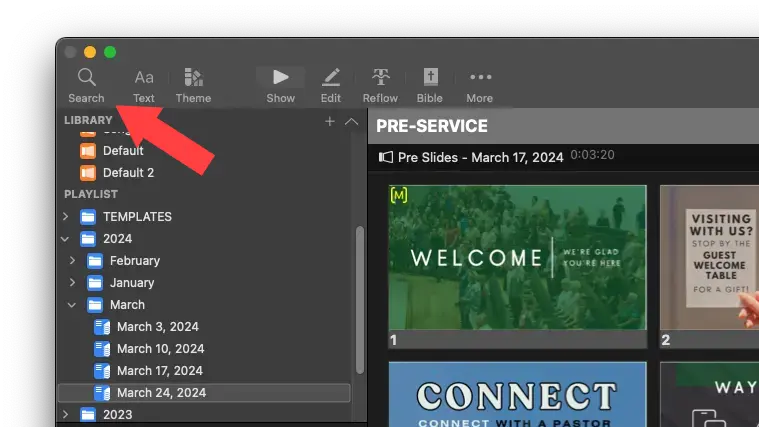
- Paste in the CCLI Number into the search field.

- Drag and drop the song from the Songs library into the playlist.
Multiple Songs
If there are multiple songs listed, on the right side of the Search Pane, select the song from the "Songs" Library.
If there are no results, check to make sure. Otherwise, you may need to